Showing posts with label 3D Printers. Show all posts

Friday, February 9, 2018

DIY!! 3D Printed Ergonomic Keyboards for the Uncompromising Typist…

If you are a mechanical geek you surely might be having insights about the  Reddit Mechanical Keyboard community.

Yeah, a whole community just talking, making and sharing their split keyboards!! Now the question that arises is why do we need a mechanical keyboard? Most manufacturers make keyboards from one circuit board and use what many describe as mushy buttons. A mechanical keyboard uses individual switches on each key and many people claim it is not only much more satisfying to type but also more accurate and faster.
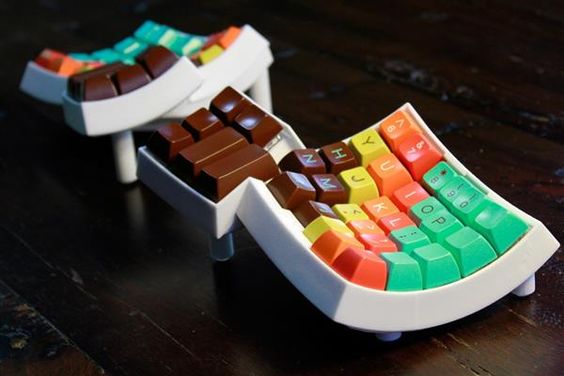
But mechanical keyboards are not much common but there is a community which loves making their own keyboard. Some people get kits and assemble them together or all the parts and fix them properly and some 3D Print the framework and attach the required electronics. When it comes to customizing the keyboards, DIY works the best and so here are the Keyboard you can print them out.

Dactyl Keyboard

The Dactyl keyboard contains two distinctly curved keyboard segments, it sounds a little weird and is a little weird but Dactyl Keyboards are future.Dactyl, the name itself refers to an object curved to fit the natural shape of the hand, so it’s almost like an optimized version of an ergonomic keyboard.
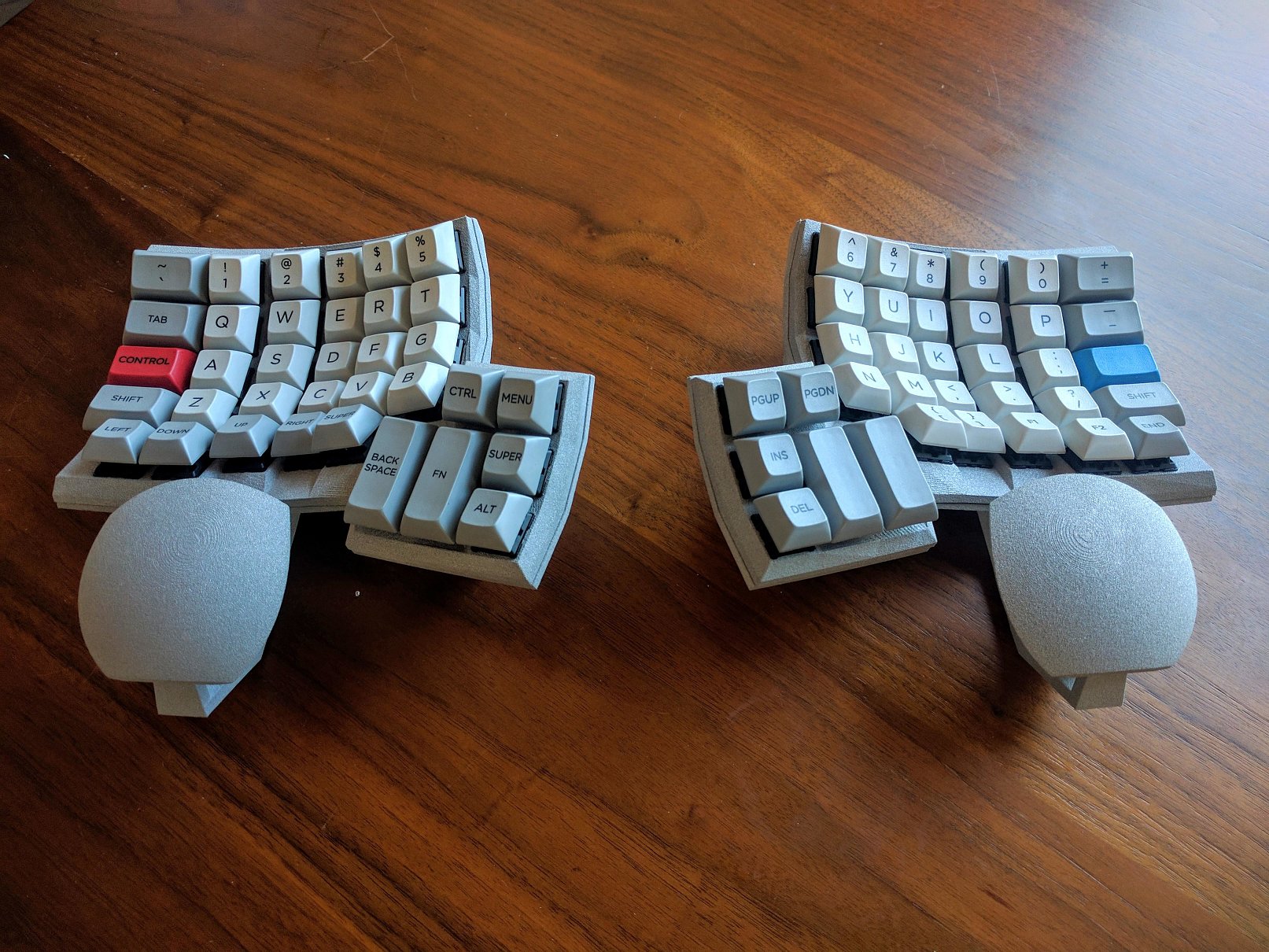
The Developer of the keyboard is Matt Adereth, he is a tool and infrastructure builder and a mad keyboard collector.Now the good thing is it’s also a mechanical keyboard.Over the decades you might have noticed the clicking sounds and physical satisfaction has been decreased, that’s because the IBM type classic keyboards have phased out, instead, we are all using less expensive, spill-proof keyboards packed with rubber membranes that do all the work for us.

The Dactyl keyboard is inspired from the  Kinesis Advantage. “The layout is very similar [to that of the Kinesis Advantage] and quite comfortable. I’ve got the thumb cluster a little closer and angled and I think it makes it nicer. The only problem right now is the lack of palm rest, which some ergonomics folks think is actually a good thing. I’m working on one next,” he tells his fans.If you’re interested, you can actually build one of these amazing keyboards yourself with the help of Matt’s GitHub files, but there isn’t really a detailed guide available. And the best printer and PCB for printing this keyboard is available at Geeetech.

Keyboardio

If you are an uncompromising typist and spend most of the hours on the computer then this is just the right keyboard for you.It is one of the heavier keyboards in the list which is made of wood and adds a character to your keyboard.It ages gracefully without looking dirty and a slob.
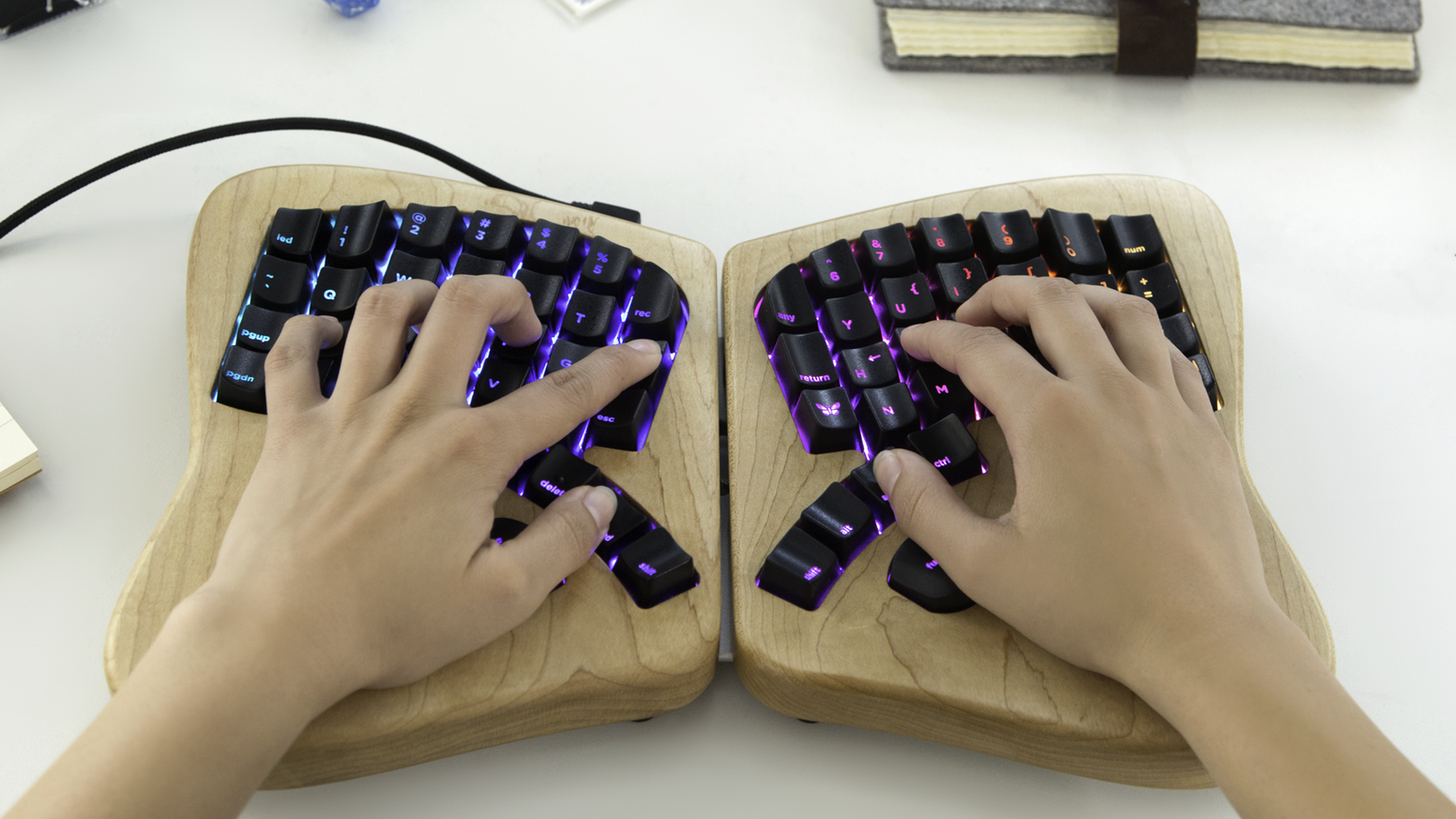
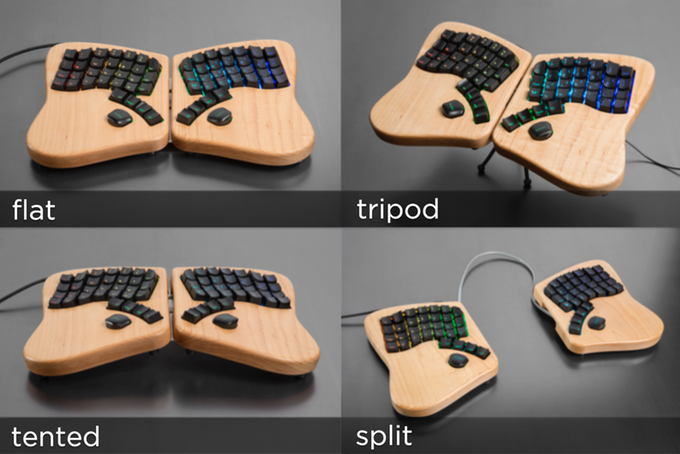
The company mills the Model 01’s enclosure from two blocks of solid maple and use mechanical keyswitches similar to those found in the original Apple II. The keycaps are all custom sculpted, the 64 keycaps make fingers guide to the right key.The base keyboard can be laid flat, split, tented, or setup tripod style.
Other features include fully programmable LEDs, true N-key rollover (NKRO) which is for folks that need to press more than 6 keys at once, and application-specific macros.The high-quality keyswitches make the soul of the keyboard lively. Get to know more about Keyboardio and print it out by yourself.

Mitosis Keyboard

A wireless split ergonomic keyboard which you can totally do it yourself.The designer has posted up the source and design files on this Reddit thread including PCB manufacturing files, Lasercutting files, Wireless firmware, QMK source, PDF Schematics, PCB design files and Parts list with suppliers. The creator says learning to make a DIY keyboard is a bit difficult but it was a bit simple.
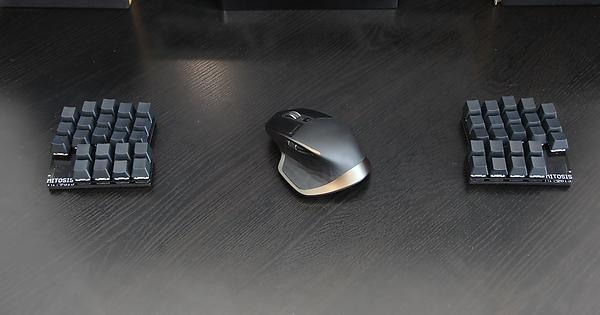
Thumb clusters were the part of his plan but used to get pinky pain after long typing sessions. The benefit of a completely different system is that he could still touch type QWERTY, something in his brain just switches right back when touches a row staggered keyboard.

Shortcut Ergonomic Gaming Keyboard

A fully customized keyboard for all the gaming freaks out there.The main features of this keyboard are Thumb cluster,hand-shaped design, split keyboard, and a configurable layout. Know more about the keyboard on their blog.

These keyboards might have convinced you to start making one yourself, so what are you waiting for? Just get the right printer that will satisfy all your needs and the right PCB and other accessories required and start printing. We suggest you the Geeetech Prusa I3 will be the best for printing a user-friendly and elegant keyboard.

Credits: Reddit.com,allthingsergo.com,youtube.com, shortcut.gg.

Saturday, January 27, 2018

You won’t believe these 3D Printers cost just below $500!

A common misconception boggling the minds of people who want to start with 3D Printing is – 3D Printers are too expensive, just because the original 3D Printed object comes out of the machine and the object is tangible also the industry is quite new and still some people just know the brim of 3D Printing. We are going to clear out this misconception here itself. 3D Printers are available for everyone right from beginners to the ones having a handful of knowledge about it and are in the industry for a long time. You can read about different misconceptions about 3D printing here.

Know these 3D printers just below $ 500, we have listed them accordingly to the best reviews from Amazon.

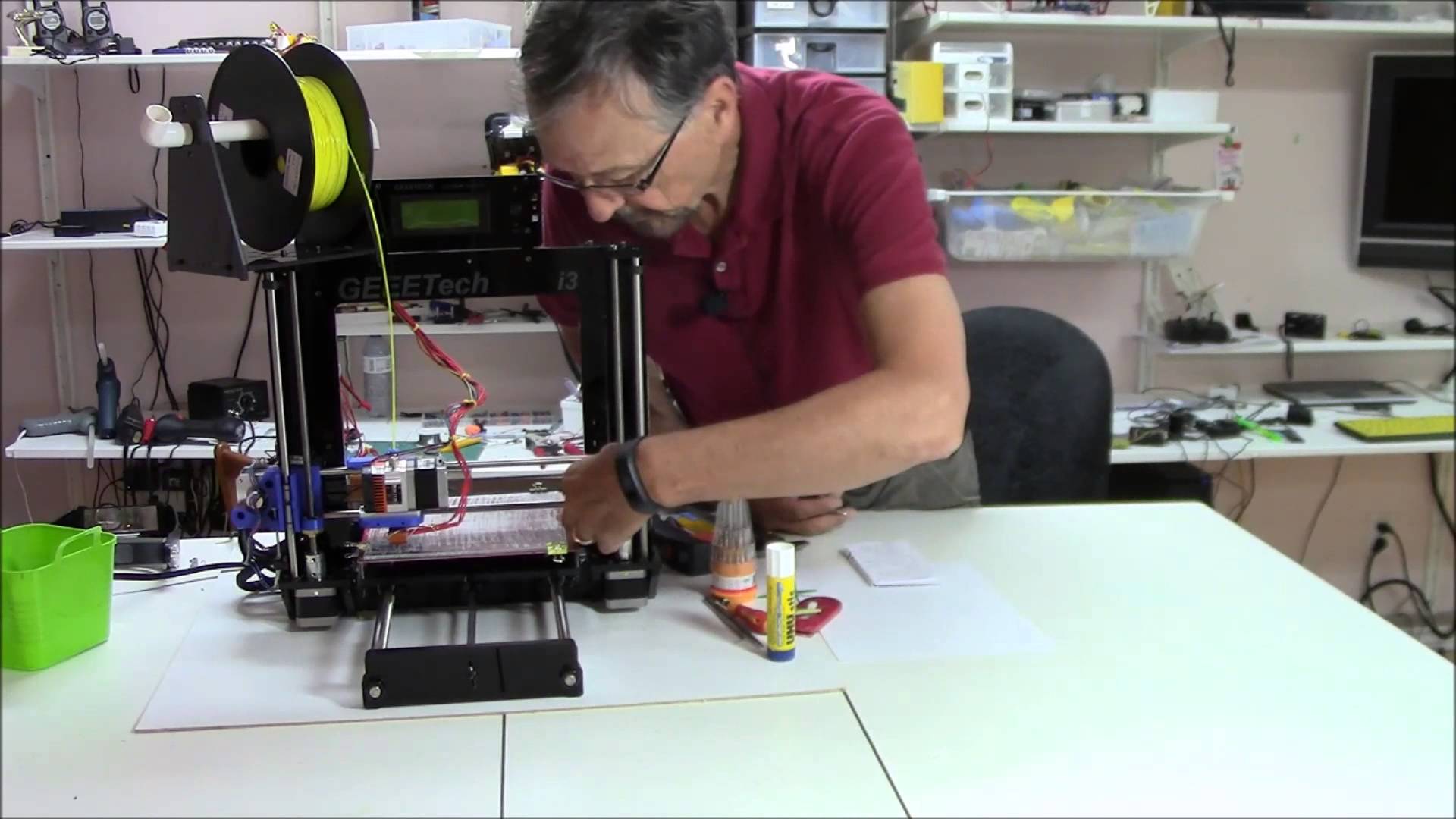
Acrylic Geeetech Prusa I3 pro

Newbies get ready coz this printer gonna teach you a lot. After being ordered the printer comes with a great packaging without damaging the stuff and the wooden fragmented pieces are easy to assemble.Approximately it takes 5-7 hours to assemble and if you read the instructions clearly you won’t land up into messing it up.

It’s not like a put it together and it works kind of kit, you really need to fiddle with it and show patience if you want great results. The Best way to get the most out of Geeetech Prusa is to watch the youtube videos and read the manual given along with it. If you are starting with printing out the objects then do keep in mind and study well about the slicer settings also the bed gets heated and so fans for cooling the bed is a must have in your kit.

Only things you will need to buy extra after purchasing this item to get like prints is PTFE grease (for z-axis threaded rods), Filament, part cooling fan(s), and tweezers. Now all of these are optional but will aid in getting those high-quality prints much faster.

Buy this on Amazon.com at just $313.99

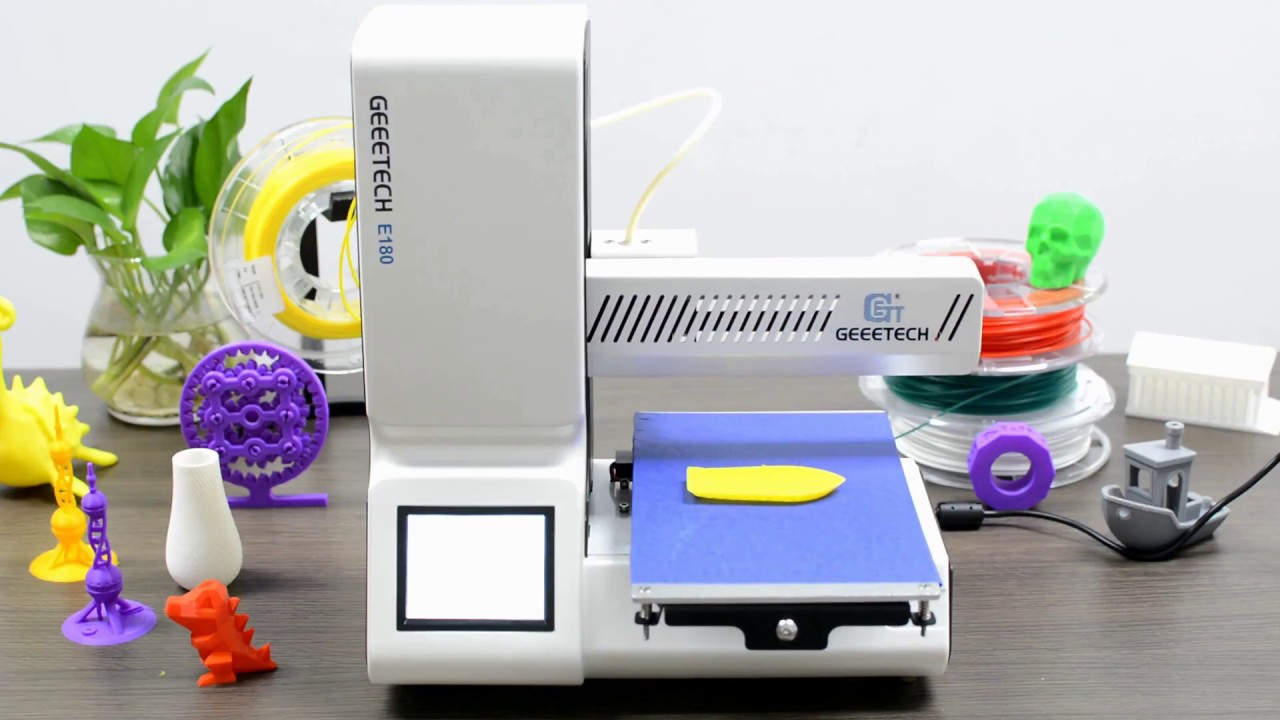
Geeetech E180 Mini Printer

Viewing from the education perspective, this printer focusses on clearing the class book concepts with practical solutions. An elegant and simple design with a lot to offer. Wifi connectivity makes the printing more simple and easier.

Printing via EasyPrint 3D App is quite easier where you don’t have to manipulate the settings much and also a free access to Cloud gallery. You can print large objects by printing them in chunks and then joining them.The touchscreen user interface allows you to change the relevant parameters in real time also the break resuming capability is great helping you to continue the product from where it had stopped. The tiny machine can create giant objects with best finish and smoothness.

Buy Geeetech E180 Mini 3D Printer only at $298.00.

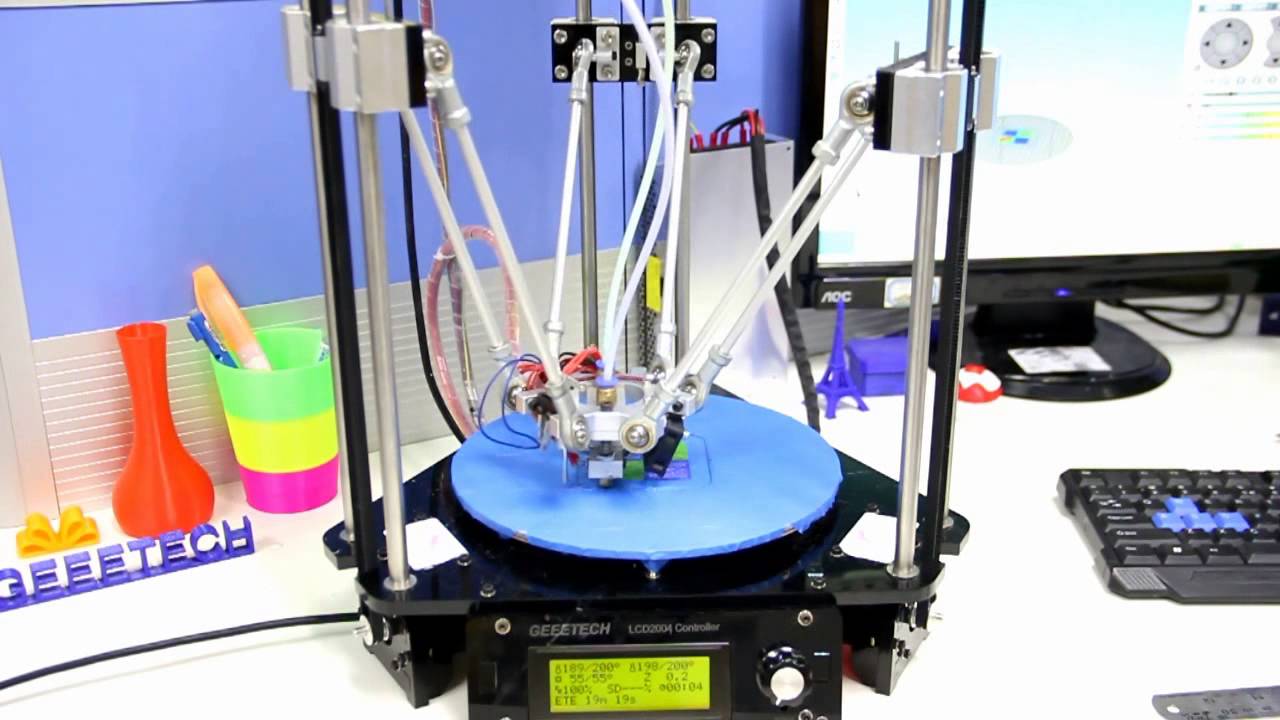
Delta Rostock mini G2S pro

This printer is an improved version with more accuracy and speed enabling you to print a single object of two different colors or two objects with a different color on the same print bed.Follow the step by step procedure for assembling the printer just as given in the Geeetech Rostock mini G2 & G2s pro Quick Starter Manual.zip then continue to read the Delta Rostock mini G2& G2s building instruction.zip thus you are now all set to print on the Delta Rostock mini and get the best out of it. The only thing to remember while 3D Printing is patience and reaching out to people those who can help you solve all your difficulties.

Get this printer on Geeetech official website at just $269.

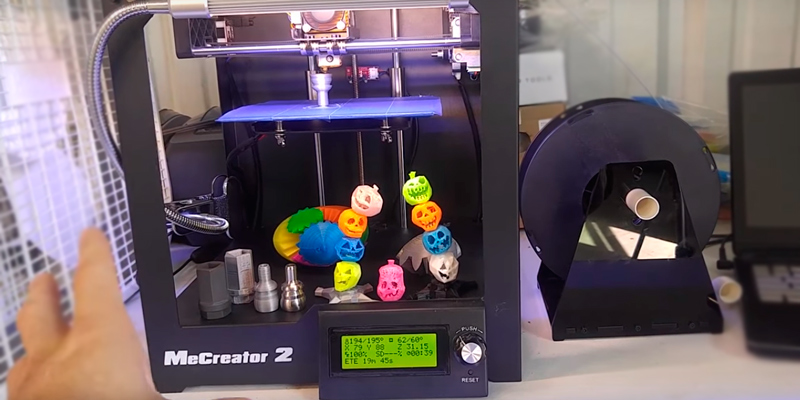
Geeetech High-Quality MeCreator

Precise in printing due to the upgraded hardware and optimized firmware, this printer allows you to efficiently print your designs.The half-open box type design gives protection to the printer and giving you easy access to observe whats getting printed out there.Its compact and comes with an upgraded extruder whose feeding part is V shaped ensuring constant and stable feeding.The best part about MeCreator is it supports various software tools and slicer tools giving you a better experience.

Get this printer on Geeetch Official Site at $385.00

So you need not wait to buy a 3D Printer now as you know it does not cost much and is amazingly helpful. The Geeetech team is always there to help out. You can share the problems you face with the printed on our Fb Group and we will make sure you get them solved.

Credits: youtube.com, i.ytimg.com, amazon.com.